Deployment guides / Wi-Fi Smart Appliance Control

Connected appliance control from equipment interface to branded app.

A connected appliance-control system links the equipment interface and safety boundary to Wi-Fi commissioning, firmware states, branded user controls and service data.

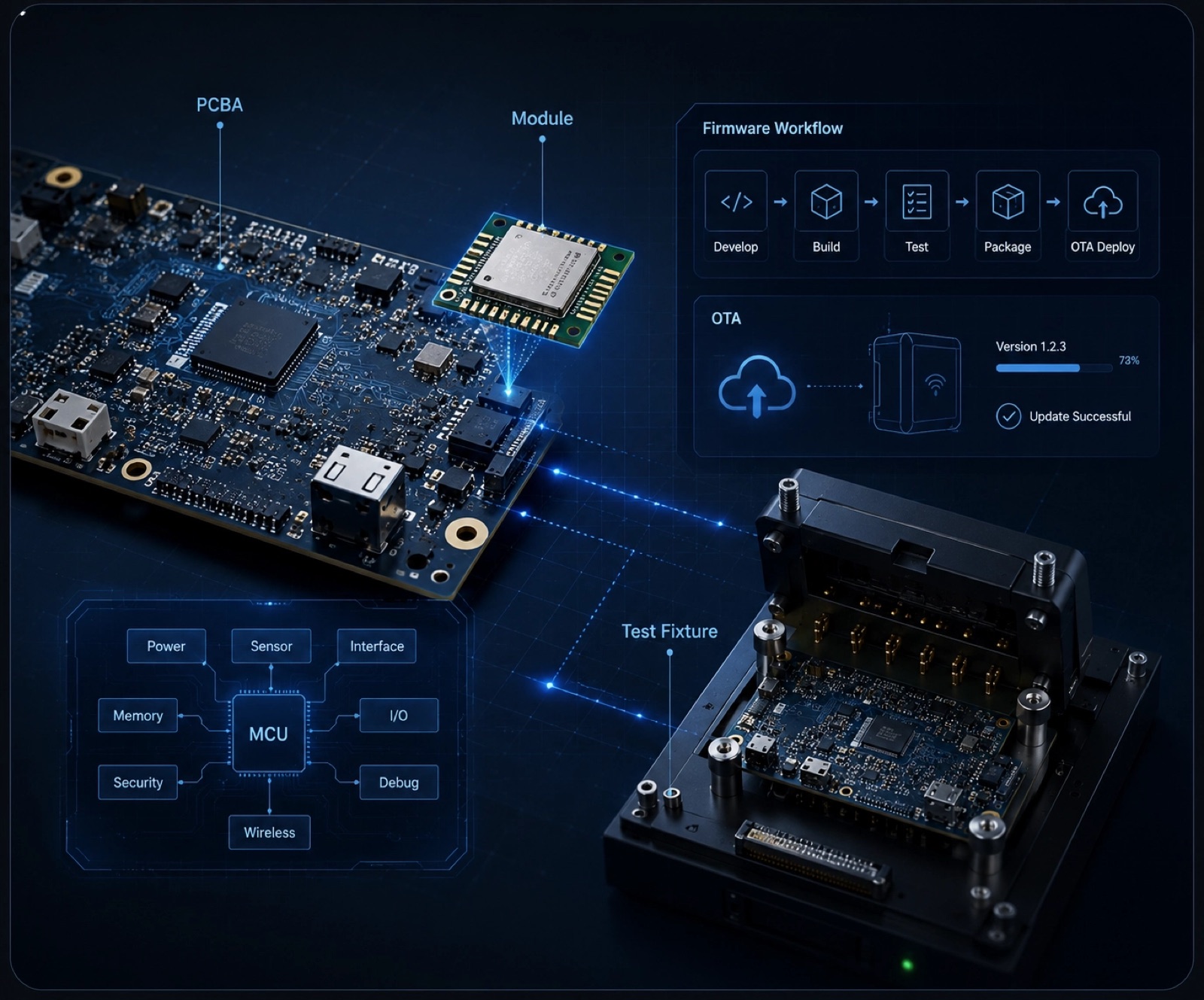
Hardware engineering board, wireless module, firmware workflow and test fixture.Deployment reference
Connected appliance control
Map equipment states, local controls, Wi-Fi commissioning, app commands and service data.

Start with the appliance controller and safe command set

Map equipment states, local controls, Wi-Fi commissioning, app commands and service data.

Keep local and remote equipment behavior consistent

Remote control is unreliable when the app does not understand equipment states, faults, local controls or the safe command boundary.

What this gives the buyer

Add branded connectivity while keeping the equipment controller, app and service view aligned.

From equipment state to branded app command

  1. 01

    Controller reads equipment state and local input

  2. 02

    User commissions the device to the network and account

  3. 03

    Firmware exposes approved controls and status

  4. 04

    Cloud synchronizes commands, alerts and service data

  5. 05

    Production tests verify the interface and network behavior

Define interfaces and safe controls before sampling

  • Existing controller interface
  • Safe local and remote commands
  • Commissioning and recovery
  • Status, alerts and service records
  • Production fixture access

Wi-Fi Smart Appliance Control fit and common questions

A connected appliance-control system links the equipment interface and safety boundary to Wi-Fi commissioning, firmware states, branded user controls and service data.

Best for
  • Add branded connectivity while keeping the equipment controller, app and service view aligned.
  • Alarm and Detection Devices
Check first
  • Projects without a product or deployment owner
  • Commercial assumptions before configuration
Typical scope
  • Controller reads equipment state and local input
  • User commissions the device to the network and account
  • Firmware exposes approved controls and status
  • Cloud synchronizes commands, alerts and service data
What you receive
  • Existing controller interface
  • Safe local and remote commands
  • Commissioning and recovery

Prepare the appliance-control sample brief

WhatsApp Hanwu